Introduction
Old box locks on front doors feel weak, awkward, and surprisingly easy for intruders to defeat.
Instead of keeping that outdated hardware, many homeowners now replace a box lock with a biometric deadbolt on their main entrance. To swap a surface box lock for a biometric deadbolt, you remove the box unit, repair or drill the door if needed, mount a compatible smart lock, then enroll fingerprints, PINs, and backup keys before testing every function.
This guide explains what a box lock is, how biometric door lock installation works, and the exact step-by-step process to change your current lock safely. You will also see Canada-specific concerns around weather, power, and privacy, plus how Faster Locksmith makes the upgrade straightforward and reliable.
“Good security starts with the door, not the alarm panel,” is a reminder Faster Locksmith technicians share with new customers all the time.
Ready to see how the full smart lock upgrade comes together on a real door?
Key Takeaways
Before going deeper, it helps to see the main ideas in one place.
- Old box locks sit on the surface of the door and rely only on keys, which makes them easier to pick, duplicate, or force than modern electronic locks.
- Biometric locks remove most key problems through fingerprint or face access, and the six clear steps from assessment to testing give a safe path from box lock to keyless entry.
- Canadian winters, battery backup, privacy rules, and professional installation with Faster Locksmith decide which biometric lock works best and how long it will stay reliable.
What Is a Box Lock and Why Is It Time to Upgrade?

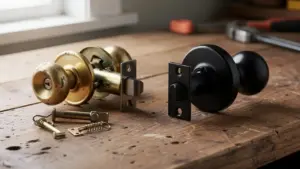
A box lock is a surface-mounted lock case that bolts onto the inside of a door and often uses a simple rim cylinder. Many older Canadian houses, apartments, and small storefronts still rely on this style because it came standard decades ago. The metal “box” sits visibly on the door, while a latch or bolt extends into a strike plate on the frame.
That simple construction leaves real security gaps. The exposed case can be pried, and the mechanism itself often has few defenses against picking or shimming. Keys for these locks are easy to copy at any hardware store, so one unreturned key can keep access open for years. Worn parts can also stick or jam, which leads to lockouts at the worst possible time.
Common weaknesses of older box locks include:
- Exposed hardware that can be pried with basic tools
- Simple keyways that are easier to pick or bump
- Easily copied keys with no control over who makes duplicates
- Aging internal parts that bind, jam, or break
Public safety guidance from Public Safety Canada notes that many residential break-ins begin at exterior doors, so weak locks give intruders an easier target. Old box locks also offer no event history, no remote control, and no quick way to remove access when a tenant moves out or an employee leaves. In contrast, when you replace a box lock with biometrics, you gain per-user access, digital logs, and the option to manage entry from your phone.
“If you can see a big metal box on the inside of the door, there’s a good chance it’s past its prime,” explains a senior technician at Faster Locksmith.
For homeowners, property managers, and small business owners across the Greater Toronto Area, this move from a box lock to a biometric lock for front door security brings both stronger protection and much smoother day-to-day use.
How Does a Biometric Door Lock Actually Work?

A biometric door lock reads a physical trait such as a fingerprint, compares it with stored data, and then decides whether to release the latch and open the lock. Instead of trusting a metal key, the lock checks who you are every time. This creates a direct link between each person and every entry.
The process follows three main steps:
- Enrollment
You scan a finger or face so the lock can create a mathematical template rather than saving a raw image. This template is stored in encrypted form inside the lock or its hub. - Verification
When someone presents a finger or face, the lock compares that live scan against the stored template. - Authorization
If the comparison falls inside the allowed match range, the internal computer sends power to the motor and retracts the bolt so the door can open. If not, it stays secure.
Research from NIST reports that modern fingerprint systems can reach false acceptance rates below about one in one hundred thousand attempts when they are tuned correctly. For everyday use, fingerprint recognition remains the most common choice for a fingerprint door lock in Canada, but many models add a keypad, phone app, or mechanical key as backup. High quality locks use AES-128 or AES-256 encryption, the same classes of algorithms NIST recommends for sensitive data.
For homes and small offices, this means you can install a biometric lock, register each person with their own fingerprint, and stop worrying about copied keys or shared PINs. When you no longer want someone to enter, you simply delete their profile instead of changing hardware.
How to Replace a Box Lock With a Biometric Lock: Step-by-Step
Replacing a surface box lock with a modern biometric lock follows a clear path from assessment to final testing. The basic idea is to remove the old case, prepare the door and frame, mount the new lock, then program and test it until it works smoothly for every user.
For a front entrance or commercial door, Faster Locksmith follows a structured method that keeps the door secure at each stage and respects manufacturer warranty rules. Here is what that process looks like in real life.
“We treat every front door as a small construction project, not a quick gadget swap,” says a Faster Locksmith installer.
What Does the Installation Process Look Like?

The installation process to replace a box lock with a biometric lock breaks into six simple steps that you can follow or review with your locksmith.
- Security Assessment
A technician or experienced homeowner checks the door material, thickness, and condition, plus the frame and hinges. The existing box lock footprint, any extra cylinders, and the strike plate location show which biometric models fit best. At this stage you also decide between battery power and wired power, which matters more in busy commercial settings. Faster Locksmith often recommends door reinforcement if the wood around the old lock shows splitting.
Key checks usually include:- Door material (wood, metal, or fiberglass)
- Door thickness and squareness
- Condition of the frame and strike area
- Existing holes and hardware that may need repair
- Selecting the Right Biometric Lock
Next, you pick the specific biometric door lock installation hardware. For most houses, a standalone fingerprint deadbolt from brands such as Schlage, Yale, Kwikset, August, or Ultraloq replaces the old box lock position with a standard bore hole. Commercial doors might need a mortise unit or a smart lock overlay that keeps an existing cylinder on the outside. Standards from ANSI/BHMA rate locks as Grade 1 or Grade 2, and those grades indicate heavy test cycles for long term use. Faster Locksmith can explain the tradeoffs between models, so you choose something that suits both your door and your budget. - Removing the Existing Box Lock
The old surface case, backplate, and rim cylinder come off the door along with any extra strike plates. Screw holes and large cutouts often remain, especially on older wooden doors. A careful locksmith fills or covers these so they do not weaken the area around the new smart deadbolt installation. This step also checks that the frame can hold a deeper, stronger bolt and that nothing inside the door, such as glass or wiring, will interfere with drilling. - Hardware Fitting and Installation
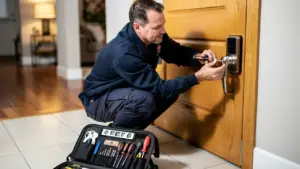
Now the biometric lock goes onto the door. The installer drills a new bore hole if one does not already exist and lines up the latch with the strike plate on the frame. Incorrect alignment causes rubbing or partial latching, so this step uses careful measurement and test closes. With electronic door lock installation, interior and exterior halves connect through a cable, and mounting screws hold everything tight without bending the door. The installer also confirms that the bolt throws cleanly into solid wood or metal, not soft or damaged material. - Enrollment and Programming
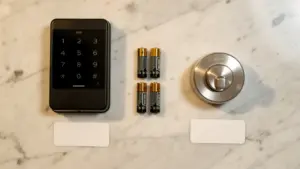
Once the lock works mechanically, you move to the digital setup. You register fingerprints for each resident or staff member, often enrolling the same finger from several angles to help the sensor read quickly. You also program PIN codes, set app access, and connect to platforms such as Google Home or Amazon Alexa when the lock supports them. According to testing summarized by Consumer Reports, many smart locks hold dozens of users, so most households have plenty of capacity. A good habit is to keep at least one master admin profile written down in a safe place in case you change phones later. - Testing and Handoff
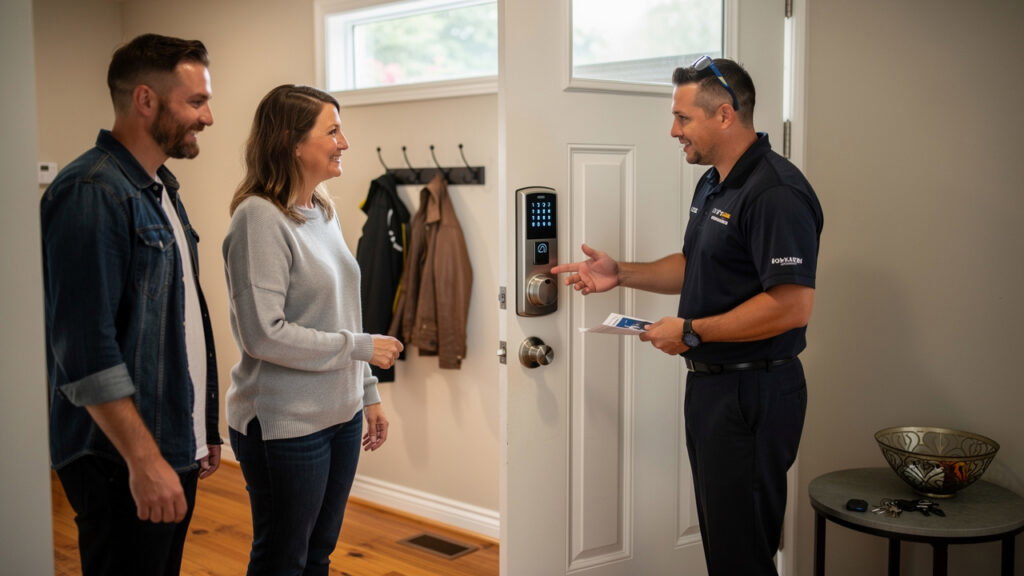
The final step checks every feature several times. Each user tries their fingerprint, PIN, and mechanical key where available. The installer confirms that auto-lock timers, low battery alerts, and phone notifications work as expected. Faster Locksmith also walks you through adding and removing users so you stay in control after the work truck leaves. A quick final check verifies that the door still closes smoothly against weatherstripping and that the new lock does not interfere with existing alarm contacts.
What to Consider Before Installing a Biometric Lock in Canada

Before installing a biometric lock in Canada, you need to think carefully about climate, power, and privacy. These factors decide how reliable your new lock feels in February as well as how safely it handles sensitive biometric data.
Cold weather plays a big role. Many parts of Ontario, Alberta, Manitoba, and Quebec see deep ice, wind, and blowing snow that can affect exterior electronics. Look for locks rated at least IP65 so they resist dust and low pressure water jets, a definition explained by CSA Group. Check the stated operating range too, and favor models that work at minus twenty degrees Celsius or lower. For very cold days, a keypad or key backup helps when fingers are wet or in gloves.
Power needs come next. Most residential biometric deadbolt lock models run on AA or AAA batteries that last six to twelve months under normal use, according to testing data from Consumer Reports. Good locks send low battery alerts through their apps well before power drops. They also offer a nine volt contact point on the outside and a hidden key cylinder, so you still get in if the battery dies. If you choose a Wi‑Fi model, expect batteries to drain a bit faster than on Bluetooth-only models.
Privacy laws add another piece, especially for landlords and employers. The Office of the Privacy Commissioner of Canada explains that biometric identifiers count as sensitive personal information under PIPEDA. For a biometric lock security upgrade in a rental building or workplace, that means:
- Storing templates in encrypted form
- Limiting admin access to a small number of trusted people
- Getting clear consent from residents or staff before enrollment
- Deleting records whenever someone moves out or leaves the company
“Treat biometric data like you treat banking details: only collect what you need and guard it carefully,” advises a Faster Locksmith consultant.
Thinking through climate, power, and privacy before you buy helps your new lock stay reliable in winter storms and keeps you on the right side of Canadian regulations.
Why Faster Locksmith Is the Right Choice for Your Biometric Lock Installation
Faster Locksmith gives you a safe, structured way to replace a box lock with biometrics across the Greater Toronto Area. Our licensed, insured technicians combine more than ten years of locksmith experience with up to date knowledge of smart hardware and Canadian building requirements. You get the convenience of keyless entry without guessing on tools or measurements.
On every job, a Faster Locksmith technician starts with a detailed door and frame assessment, then recommends locks from trusted brands such as Schlage, August, Yale, Kwikset, Wyze, and Ultraloq. We remove your old box lock cleanly, repair weak spots, and carry out biometric door lock installation to the manufacturer’s exact instructions. That careful work keeps your product warranty intact and helps the lock resist both digital tampering and physical force.
Service goes beyond fitting the hardware. Our team sets up user profiles, smartphone apps, Wi‑Fi or Bluetooth links, and smart home integrations so you do not spend hours with a manual. We provide clear tips on how to install a biometric lock on future doors in your property as well, from single homes to multi unit sites. Faster Locksmith backs recommended products with up to a five year warranty and stands behind the labor.
Key benefits of working with Faster Locksmith include:
- Local expertise in homes and businesses across the GTA
- 24/7 mobile service for planned upgrades and emergencies
- Transparent pricing without surprise fees
- Support after installation, including user changes and troubleshooting
With 24/7 availability, about thirty minute response times, and transparent pricing without hidden fees, Faster Locksmith supports homeowners, business owners, and property managers in Toronto, Mississauga, Oshawa, Markham, Halton Hills, Georgina, and nearby communities. Whether you plan a smart lock upgrade next month or need an emergency lock change tonight, one call connects you with a local professional.
Locking In a Smarter, Safer Future Starts Today
Box locks once felt standard, but they no longer match the security needs of busy Canadian households and businesses. Biometric locks bring stronger protection, cleaner access control, and freedom from worn metal keys. Replacing a box lock with biometrics through a structured six step process keeps the door secure at every point.
You have seen how assessment, removal, fitting, enrollment, and testing all fit together, plus the way climate, power, and privacy shape hardware choices. Faster Locksmith ties those pieces into one smooth service so your new fingerprint or keypad door lock just works.
If you are ready for a safer, easier front door, contact Faster Locksmith for a free, no obligation quote and prompt installation support.
Frequently Asked Questions
Question: Can I install a biometric lock myself, or do I need a locksmith?
You can install some biometric locks yourself, but a locksmith gives a safer result. Professional fitting avoids weak screw placement, misaligned latches, and damaged doors, which can all reduce security. For commercial and multi unit buildings, Canadian code and insurance rules also make professional installation the smarter choice.
Question: How long do biometric lock batteries last, and what happens when they die?
Most residential biometric locks run six to twelve months on standard AA or AAA batteries. When power runs low, the lock sends alerts through its app and often shows a warning light. If the batteries still go flat, you can use a nine volt contact or hidden key to open the door.
Question: Are biometric locks secure enough to replace a traditional deadbolt in Canada?
Yes, quality biometric locks match or exceed many traditional deadbolts. Look for ANSI or BHMA Grade 1 or 2 hardware plus AES‑128 or AES‑256 encryption for digital parts. Many fingerprint systems now reach very low false acceptance rates, so chances of a stranger being allowed in stay extremely small.
Question: How many fingerprints can a biometric lock store?
Most consumer biometric locks store between fifty and a few hundred fingerprint profiles, which covers most families and small offices. Larger commercial systems can hold thousands of users and link to central software. Always check the user capacity before purchase if you manage a high turnover staff team.
Question: Does Faster Locksmith service biometric lock installations outside of Toronto?
Yes, Faster Locksmith services a wide area beyond downtown Toronto. Our mobile technicians install and replace biometric locks in Mississauga, Oshawa, Markham, Halton Hills, Georgina, and other nearby Ontario communities. You can call us any time, day or night, for both planned upgrades and urgent replacements.