Introduction
Many people want the best budget-friendly smart locks but worry about paying premium prices for basic security. That concern grows when every brand claims to be smarter than the rest.
A budget-friendly smart lock means strong protection, modern access features, and sensible long‑term costs. This guide, based on Faster Locksmith field testing, walks through real price ranges, expert picks, key features to check, and when to call a pro in the Greater Toronto Area (GTA).
If you want a smart lock for your home, business, or rental without stretching your budget, this guide explains what budget-friendly really means in 2026.
Key Takeaways
Many readers only have a few minutes, so here is the short version. These points sum up how to pick a smart lock that protects your property and your wallet. You can always come back to the detailed sections when you are ready to choose a model.
- Look for balance, not gimmicks. The best budget-friendly smart locks balance price, security grade, and useful features rather than fancy extras you never use. They usually sit in the 60 to 200 CAD range in Canada while still offering strong encryption and reliable build quality. Faster Locksmith tests locks in real homes and small businesses to see which ones actually hold up.
- Focus on must-have features. Before buying, focus on must‑haves like multiple entry options, 128‑bit AES encryption, auto‑lock, tamper alerts, and at least ANSI Grade 2 hardware. Also look at total cost—batteries, any smart hub, and installation—not just the sticker price on Amazon or Best Buy Canada.
- Decide between DIY and professional help. Most standard doors allow simple DIY setup, but older houses, commercial doors, and multi‑unit properties often benefit from professional work. Faster Locksmith offers free quotes, same‑day service in the Greater Toronto Area, and 5‑year product warranties so your chosen lock works properly from day one.
What Makes a Smart Lock Truly Budget-Friendly in 2026?

A smart lock is budget-friendly in 2026 when it delivers strong security and daily convenience at a fair total cost. For Canadian buyers, that usually means spending enough for proven hardware while avoiding paid extras that add little real value. Faster Locksmith looks at the full picture instead of only the price on the box.
“Security is not a product, but a process.” — Bruce Schneier, security technologist
This mindset applies to smart locks: a good deal is about long‑term safety and upkeep, not just the sale price.
According to Home Depot Canada, most residential smart locks now sell between about 60 and 250 CAD, with many solid models under 200 CAD Home Depot Canada. The real bargain usually sits near the middle of that range, where you get essential features without paying for luxury finishes. Total cost also includes batteries, an optional Wi‑Fi or Z‑Wave hub, and either your own time or a paid installer.
At this price, some features are non‑negotiable. You should expect 128‑bit AES encryption, multiple entry methods, and a clear activity log in the app. Major brands such as Schlage, Yale, August, and Kwikset publish these details in their spec sheets, which makes comparison easier for homeowners and property managers. Many Grade 2 locks offer keypad codes, phone control, and a physical key backup so you are not stuck outside during a dead battery.
Ongoing costs matter as much as the one‑time purchase. Research from Angi shows that traditional rekeying often costs 75 to 150 CAD per visit in North America, depending on the number of locks and service call fees Angi. A smart lock with code management or a self‑rekey feature can remove most of those visits over several years, which is why Faster Locksmith often ranks these functions higher than fancy styling or rare integrations.
Top Budget-Friendly Smart Locks to Consider in 2026

The best budget-friendly smart locks in 2026 combine secure hardware, flexible access, and fair pricing from trusted brands. Faster Locksmith technicians install these models daily across the Greater Toronto Area, so the picks below come from real field use, not just spec sheets.
When comparing locks, our team checks five main points for each model: security rating, number of access methods, smart‑home support, ease of setup, and long‑term maintenance needs. We also look at how well each lock handles Canadian winters, which can expose weaknesses that never show up in a warm lab.
The Best Budget Smart Lock Brands and What Sets Them Apart

The locks below stand out for homeowners, renters, and property managers who want strong security without luxury prices. Match your situation to the notes rather than chasing the highest price tag.
iLifeSmart Smart Door Lock C200 — Our Top Pick
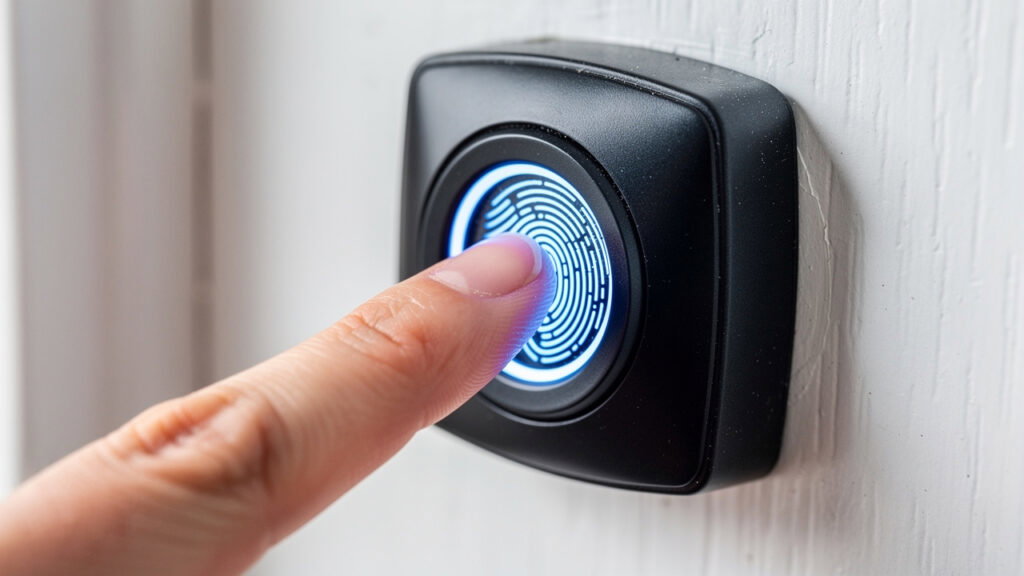
The iLifeSmart C200 earns the top spot for overall value. It offers fingerprint access, keypad codes, Bluetooth app control, NFC cards, and a traditional key, so you are never stuck if one method fails. The C‑level lock core and tamper alarm add serious resistance against common break‑in tricks. Families and small offices appreciate the large storage for prints and codes, plus pricing that often stays under 200 CAD from major online retailers.
August Wi‑Fi Smart Lock (4th Gen)
The August Wi‑Fi Smart Lock mounts on the inside of your existing deadbolt, so your outside hardware stays the same. That design is perfect for renters or new homebuyers who cannot replace the entire lock. Built‑in Wi‑Fi enables remote control, auto‑locking when you leave, and DoorSense to confirm the door is fully closed. According to Best Buy Canada listings, this model usually sits in the 150 to 220 CAD range depending on sales Best Buy Canada.
Schlage Encode
Schlage Encode is a favorite for buyers who want near‑commercial strength on a home budget. It uses ANSI Grade 1 hardware, supports up to 100 access codes, and includes an alarm that listens for physical attacks. Built‑in Wi‑Fi means no extra hub for remote control or app alerts. Faster Locksmith often recommends this lock for main entries on detached homes and for small street‑facing shops.
Kwikset Halo and SmartCode 888
Kwikset Halo provides Wi‑Fi connectivity with up to 250 codes, while SmartCode 888 focuses on Z‑Wave Plus for hub‑based systems. Both models feature SmartKey, which lets owners change the key themselves in minutes with a small tool. That feature is very handy for new homebuyers and property managers who need frequent key changes without repeated locksmith visits. Pricing typically falls between 120 and 200 CAD across Canadian sellers.
Yale Assure Lock SL
Yale Assure Lock SL is a slim, key‑free touchscreen deadbolt that looks clean on condo and townhome doors. With a Z‑Wave or Wi‑Fi module, it ties into hubs like SmartThings and voice platforms such as Amazon Alexa and Google Assistant. ANSI Grade 2 hardware, auto‑relocking, and code schedules make it a solid pick for smart‑home fans who still have a budget. Property managers often like the low‑profile design for modern buildings.
Wyze Lock Bolt
Wyze Lock Bolt focuses on cost above all while still offering a fingerprint reader and illuminated keypad. It talks to your phone over Bluetooth only, so there is no out‑of‑home control unless you stand near the door. That trade‑off keeps the price well under 100 CAD, based on current Wyze and Amazon Canada listings Wyze. It works best for interior doors or side entries where remote control is less important.
| Lock Model | Price Range (CAD) | Connectivity | Key Override | ANSI Grade | Best For |
|---|---|---|---|---|---|
| iLifeSmart C200 | ~140 to 200 | Bluetooth + NFC + keypad | Yes | Grade 2–style hardware | Families and small offices |
| August Wi‑Fi Smart Lock | ~150 to 220 | Wi‑Fi + Bluetooth | Uses existing key | Not graded (interior mount only) | Renters and new buyers |
| Schlage Encode | ~180 to 230 | Built‑in Wi‑Fi | Yes | Grade 1 | Main home doors and small shops |
| Kwikset Halo | ~140 to 190 | Wi‑Fi | Yes + SmartKey | Grade 2 | New owners and property managers |
| Kwikset SmartCode 888 | ~110 to 160 | Z‑Wave Plus | Yes + SmartKey | Grade 2 | Hub‑based systems |
| Yale Assure Lock SL | ~150 to 200 | Z‑Wave or Wi‑Fi module | No cylinder (main version) | Grade 2 | Condos and smart homes |
| Wyze Lock Bolt | ~80 to 110 | Bluetooth | No | Not graded | Tight budgets and interior doors |
Manufacturers such as Schlage and August state typical install times of 20 to 45 minutes for these locks on standard doors Schlage August. That makes them realistic projects for many homeowners, with Faster Locksmith available when the door or frame is less standard.
Key Features to Look for Before Buying a Budget Smart Lock
Before buying any budget smart lock, you should check security rating, connectivity type, power system, and backup entry. These points matter more than fancy apps or colorful finishes. Once you know this checklist, you can compare models from any brand with confidence.
- Connectivity. Connectivity shapes both features and long‑term cost. Bluetooth‑only locks like Wyze Lock Bolt cost less, use less battery, but do not support out‑of‑home control. Wi‑Fi locks such as August Wi‑Fi and Schlage Encode work from anywhere but draw more power. Z‑Wave or Zigbee models need a hub like Samsung SmartThings or certain Amazon Echo devices, which can add 70 to 150 CAD to your setup unless you already own one Samsung SmartThings Amazon.
- Security Rating And Build. ANSI and BHMA‑graded locks from Schlage, Yale, and Kwikset pass cycle, pick, and impact tests that many generic imports skip. Grade 1 hardware suits busy entrances and many small businesses, while Grade 2 works well for most homes and low‑traffic offices. When Faster Locksmith reviews budget smart locks, we usually avoid ungraded products even if the price looks tempting.
- Weather And Door Type. Weather and door type matter in Canadian cities from Toronto to Oshawa. Look for an IP65 or higher weather rating for fully exposed exterior doors so electronics resist rain and blowing snow. Steel or fiberglass doors may need slightly different latch kits than wood doors, so check each product’s compatibility chart. When in doubt, a quick site visit from Faster Locksmith prevents expensive returns.
- Battery Life And Alerts. Battery life and alerts are easy to forget yet very important. Many smart locks from Schlage, Yale, and August quote 6 to 12 months of life on AA or AAA batteries under normal use Yale. Low‑battery messages in the app or on the keypad give you time to swap batteries before the lock stops working. Keeping one spare set near the entry can prevent a late‑night call for help.
- Backup Entry. Never skip a backup entry method on a main door. A physical key cylinder or an exterior 9‑volt contact gives you a way in if anything electronic goes wrong. Fully key‑free designs look sleek, but they often make more sense on secondary doors where another entry is nearby. On busy main doors, Faster Locksmith usually steers GTA clients toward models with both codes and a real key.
DIY Installation Vs. Hiring a Professional: What Is Right for You

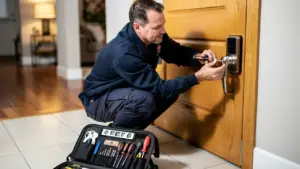
DIY smart lock setup works well for many homeowners when the door is standard and the instructions are followed. For older homes, commercial frames, or multi‑unit properties, hiring a locksmith such as Faster Locksmith often saves time and trouble. The right choice depends on your door, your schedule, and how comfortable you feel with tools and apps.
Tip from Faster Locksmith technicians: take clear photos of your existing lock and strike plate before removing anything. If you get stuck, you can refer back to how the original hardware was positioned.
DIY is usually a good fit if:
- Your door is a standard thickness (around 1 3/8 to 1 3/4 inches) with a typical 2 1/8‑inch bore hole.
- You are comfortable using a screwdriver and following step‑by‑step instructions.
- You have 20 to 45 minutes to focus on the job—manufacturers such as August, Schlage, and Yale list this as a normal install time for single‑bore doors Yale.
- You can take a few extra minutes to align the latch, choose the right backset, and test the bolt with the door open before closing it.
Call a locksmith when:
- Your door has shifted, the frame is steel, or you have double doors with an inactive leaf that needs special hardware.
- Screws, latches, or bolts feel tight or misaligned, and you do not want to risk wearing out the motor by forcing it.
- You need the lock wired into an alarm panel or a larger access system.
- You own an older GTA home with warped doors or non‑standard holes that need adjustment.
- You manage many units and want consistent, fast installs across condos, apartments, or rental houses.
- You have commercial glass, aluminum, or fire‑rated doors that must meet building and fire codes.
- There has been a break‑in and you want hinges, frames, and strike plates checked along with the new smart lock.
Faster Locksmith offers professional smart lock installation across the Greater Toronto Area with around 30‑minute response times for urgent calls. Technicians check compatibility, prepare the door if needed, mount the lock, connect the app, and test every code and key before leaving. Pricing is clear and upfront, with free, no‑pressure quotes and no hidden fees, plus a 5‑year product warranty on locks we supply. For many busy owners, that peace of mind is worth far more than the small install fee.
Making the Smart Choice for Your Home or Business

Choosing among the best budget-friendly smart locks in 2026 comes down to three pillars: solid security grades, the right mix of features for your daily life, and a total cost that fits your budget over several years. Once those pieces line up, brand choice becomes much easier.
For many homeowners, a Wi‑Fi model from Schlage, August, or Kwikset covers daily needs, while property managers may favor Z‑Wave locks that tie into systems such as SmartThings. If you are unsure which way to go, Faster Locksmith can visit your property, review your doors, and recommend a shortlist that fits both your needs and your budget. With 24/7 availability across the GTA and strong warranties, our team makes the smart lock upgrade feel simple and predictable.
Frequently Asked Questions
Question: What Is the Best Budget-Friendly Smart Lock Available in Canada in 2026?
The best budget-friendly smart lock for many Canadians in 2026 is the iLifeSmart Smart Door Lock C200. It combines fingerprint entry, keypad codes, Bluetooth, NFC, and a physical key with a C‑level lock core and tamper alerts, all at a price below many premium models. Schlage Encode suits buyers who focus on Grade 1 security, while August Wi‑Fi is great for renters who need a retrofit option that keeps the exterior hardware.
Question: Do Budget Smart Locks Actually Provide Good Security?
Yes, reputable budget smart locks provide strong security when you choose the right models. Brands like Schlage, Yale, and Kwikset use 128‑bit AES encryption, the same standard widely used in online banking, as noted by NIST guidelines NIST. ANSI Grade 1 and Grade 2 locks also pass strict tests for resistance to picking, bumping, and forced entry. Avoid very cheap, ungraded imports that offer no third‑party testing.
Question: Can I Install a Smart Lock Myself, or Do I Need a Locksmith?
Many people can install a smart lock themselves on a standard door with just a screwdriver and about half an hour of focused work. Trouble starts with older doors, commercial frames, glass inserts, or multi‑unit buildings, where alignment and code rules matter more. In these cases, Faster Locksmith offers professional installation, same‑day service in much of the GTA, and free quotes so you know the cost upfront.
Question: Will a Budget Smart Lock Work With My Existing Smart Home Setup?
A budget smart lock can often work with your current smart‑home system, but you must confirm details before buying. Some models support Alexa and Google Assistant out of the box, while others need a hub like SmartThings or certain Amazon Echo devices for voice control and routines. Apple HomeKit support is less common, so Apple users should double‑check spec sheets and recent app reviews from the iOS and Android stores.
Question: How Long Do Smart Lock Batteries Typically Last?
Most budget smart locks from brands such as Schlage, Yale, and August quote 6 to 12 months of battery life under normal use. Real‑life battery span depends on how often you use phone or Wi‑Fi control, door weight, and climate. Turning on low‑battery alerts in the app and keeping a spare pack of AA or AAA cells near the door helps avoid surprise lockouts.
Question: Is Professional Smart Lock Installation Worth the Cost?
Professional installation is often worth the cost when you care about long‑term reliability and full security. A locksmith checks door fit, sets up the app, programs user codes, and tests every way in and out so you are not a test pilot on your main door. Faster Locksmith provides clear pricing with no hidden fees, regional discounts in select GTA cities such as Mississauga, and 24/7 support if anything ever goes wrong.