Introduction
Choosing a smart lock can feel confusing, even when you have a Smart Locks: Complete Guide open beside you. Dozens of brands, radio types, and features all claim to be best. Pick the wrong one and your door might end up less secure than a simple mechanical deadbolt.
Common worries include:
- someone hacking the lock from the street,
- batteries dying at the worst time,
- or finding out the new hardware does not fit the door at all.
Those questions make plenty of people postpone an upgrade and hold on to worn, sticky locks.
A smart lock is an electronic deadbolt that uses PIN codes, phones, or biometrics instead of only metal keys. This Smart Locks: Complete Guide walks through what smart locks are, how they work, main types, security pros and cons, costs, and when calling Faster Locksmith is the smart move for Canadian homes and businesses.
“The best lock is the one you barely think about, because it just works every single day.” — Faster Locksmith technician
If you want clear answers and simple next steps, this guide is for you.
Key Takeaways
- A smart lock replaces or upgrades a regular deadbolt while using digital-style credentials instead of only metal keys. Inside, a small motor moves the bolt and a control board checks PINs, phones, or fingerprints. This Smart Locks: Complete Guide breaks those parts down in plain language.
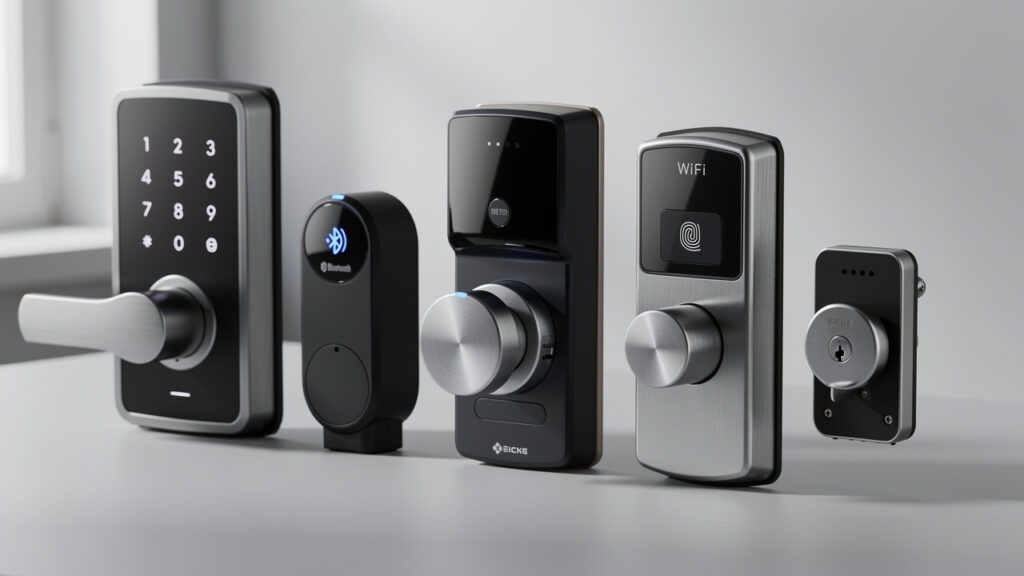
- Different smart lock types fit different lives and buildings. Keypad, Bluetooth, Wi‑Fi, Z‑Wave or Zigbee, and biometric models each shine in certain cases. This guide compares them so buyers do not have to guess.
- Features, security, and installation quality matter more than fancy apps. Auto‑lock, detailed activity logs, strong mechanical grade, and proper door alignment all affect safety. The guide also shows when help from Faster Locksmith is the smarter option.
What Is a Smart Lock and How Does It Work?

A smart lock is an electronic door lock that uses credentials such as PIN codes, phones, or fingerprints instead of only a physical key. In this Smart Locks: Complete Guide, a smart lock means a motorized deadbolt or latch that a keypad, app, fob, or biometric reader controls. The lock still secures the door with solid metal parts, but the way entry is granted changes.
Inside most smart locks you will find:
- a small motor that retracts and extends the bolt,
- a control board (the “brain”) that checks each credential,
- one or more wireless radios (Bluetooth, Wi‑Fi, Z‑Wave, Zigbee, or Matter),
- a power source, usually AA or CR123 batteries,
- and sometimes a sensor to detect whether the door is open or closed.
A typical use looks like this:
- You enter a PIN on the keypad or tap “Open” in the app.
- The lock compares that credential to its internal list.
- If it matches, the lock tells the motor to retract the bolt.
- The lock often records the event in an access log with time and user name.
Common credentials include PIN codes, smartphone apps, NFC cards, and fingerprints. Many models let you mix several methods so you can, for example, keep a physical key as backup while using phone or PIN for daily use.
Most quality devices also encrypt communication between the lock and phone. Reputable brands follow AES standards that even banking apps use, as outlined by NIST. This makes it hard for outsiders to read or fake wireless commands.
Good security practice is simple: treat your smart lock app and Wi‑Fi password with the same care you give to online banking details.
For most Canadian homes, smart locks install into the same hole as a standard deadbolt. The existing exterior handle usually stays, and the deadbolt body is swapped for the smart model. According to product specs gathered by Home Depot Canada, most locks fit a 2‑1/8 inch cross‑bore and common backsets of 2‑3/8 or 2‑3/4 inch.
If you are not sure whether your door is standard, measure:
- the diameter of the main hole (cross‑bore),
- the distance from the edge of the door to the center of that hole (backset),
- and the thickness of the door.
Having those numbers handy makes choosing a compatible lock far easier.
How Do Smart Locks Connect to Your Home?
Smart locks connect to a home using wireless protocols such as Bluetooth, Wi‑Fi, Z‑Wave, or Zigbee. In this Smart Locks: Complete Guide, these protocols explain how the lock talks to phones, hubs, and the internet. Each option affects range, battery life, and remote control.
Here is how the main options differ:
- Bluetooth
- Connects directly to a phone at short range.
- Usually offers long battery life.
- Suits people who are almost always near their phone and do not need long‑distance control.
- Wi‑Fi
- Links the lock straight to the home router.
- Lets owners open or check the door from anywhere with internet access.
- Uses more power than Bluetooth, so batteries may need changing more often.
- Z‑Wave and Zigbee
- Talk through a smart home hub like Samsung SmartThings or some Amazon Echo models.
- Build a mesh network, where nearby devices repeat the signal for greater range.
- Often give very good battery life and reliable in‑home coverage.
A newer standard called Matter lets devices from Apple, Google, Amazon, and others work together through one common language. The Connectivity Standards Alliance reports that hundreds of Matter‑certified products, including locks, are already on the market. Buying Matter‑ready hardware can make it easier to add other gear later without being tied tightly to one brand of hub.
Many smart home installers suggest: “Pick the radio first, then the lock.” In other words, decide whether you care most about range, battery life, or app features, then choose a model that fits that choice.
Types of Smart Locks: Which One Is Right for You?
Smart lock types differ in how they connect, how people enter, and where they work best. This Smart Locks: Complete Guide groups them so homeowners, businesses, and property managers can match a type to daily life. Picking the right family of lock is the first big step.
Common families include:
- Keypad smart locks
Use PIN codes. They suit families, rentals, and cleaners who visit on a schedule because codes are easy to add or remove without making more keys. Codes can often be time‑limited. - Bluetooth smart locks
Talk mainly to nearby phones and work well for people who are almost always near their devices. Some allow auto‑opening when your phone comes within range. - Wi‑Fi smart locks
Shine when remote access matters most, such as for cottage owners, frequent travellers, or landlords who live in another city. You can check and control the door from almost anywhere with internet access. - Z‑Wave and Zigbee smart locks
Fit smart homes run by hubs from Google, Amazon, or Apple (depending on the hub model). They tie into scenes like “Goodnight” that lock doors, dim lights, and arm alarms together. - Biometric smart locks
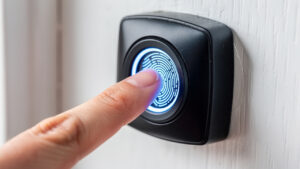
Use fingerprints or, less often, palm or facial recognition. They suit doors where key or code sharing is a concern, such as shared homes or certain office doors.
You will also see two main physical formats:
- Overlay or retrofit smart locks
Fit on the inside of an existing deadbolt, so the outside hardware and keys stay the same. Ideal for renters who cannot change exterior hardware. - Full replacement smart locks
Change both sides of the deadbolt and often offer stronger physical parts and a cleaner look. Property owners usually favour this style.
According to research from Parks Associates, smart door locks already sit in roughly one out of six North American broadband homes, with keypad and Wi‑Fi styles leading adoption. That trend continues as prices fall and more people grow comfortable with connected devices.
When in doubt, think about who needs access and how often they come and go. That answer usually points to the right lock family.
Smart Lock Types at a Glance
Here is a quick comparison summary that fits the larger Smart Locks: Complete Guide picture.
| Lock Type | Connectivity | Remote Access | Battery Life | Best For |
|---|---|---|---|---|
| Keypad | Often none or Wi‑Fi bridge | With add‑on bridge or Wi‑Fi | Very good | Families, rentals, cleaners |
| Bluetooth | Direct phone link | Nearby only, or with bridge | Excellent | Smartphone‑focused users |
| Wi‑Fi | Direct to router | Full remote control | Moderate | Cottages, travel, landlords |
| Z‑Wave or Zigbee | Hub‑based mesh | Through hub app | Very good | Smart homes with hubs |
| Biometric | Varies by model | Often with app | Good | Higher security doors, small offices |
Biometric models usually offer the strongest credential control because fingerprints are hard to share casually. They also tend to cost more than similar keypad models. Retrofit versions of any type help renters, while full replacements give homeowners a cleaner look and stronger mechanical parts.
Key Features to Look for When Choosing a Smart Lock
Smart lock features shape both daily use and long‑term safety. In this Smart Locks: Complete Guide, features matter as much as brand names. The right mix depends on who needs access, how often, and from where.
Important areas to think about include:
- Entry methods
Look for several ways to get in, such as PIN codes, phone control, and a physical key backup. This keeps options open if a phone is lost or a keypad stops working. - Auto‑lock and door‑sense
Auto‑lock can secure the lock a set time after the door shuts, which helps busy families who rush in with groceries. Some models add a door‑position sensor so the lock knows if the door is actually closed before it tries to throw the bolt. - Guest and temporary access
Guest access controls let owners give short‑term codes or app passes to visitors, cleaners, or contractors. Good apps make it easy to create and delete them without scrolling through confusing menus. - Activity logs and alerts
Activity logs record who opened the door and when, which is useful for parents, small businesses, and landlords. Push notifications can send a note when someone arrives or if the door is left unlocked for too long. - Smart home integration
Links with Amazon Alexa, Google Home, Apple Home, or Samsung SmartThings let a lock trigger lights, adjust thermostats, or arm alarms. If you already use a voice assistant or hub, pick a lock that works smoothly with it. - Mechanical quality
The Builders Hardware Manufacturers Association states that Grade 1 deadbolts must handle at least 250,000 open and close cycles and intense force tests, which is why Grade 1 or 2 is strongly preferred for exterior doors.
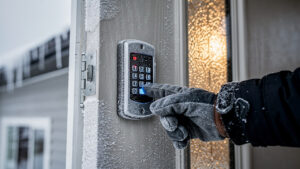
For Canada, weather ratings and battery design also matter. Extreme cold can slow cheap electronics and drain weak batteries. Look for models rated for sub‑zero temperatures and that accept lithium batteries, which cope better with Ontario winters and cottage climates.
Small settings like auto‑lock and good alerts may prevent more real‑world problems than any fancy app animation.
Must-Have Features vs. Nice-to-Have Features
To make choices easier, this Smart Locks: Complete Guide groups features into three buckets.
- Must‑have features
These cover the basics of safety and reliability:- Auto‑lock to prevent doors staying open by mistake.
- Low‑battery alerts and an external 9‑volt contact to reduce the chance of a dead lock at the worst time.
- A physical key backup for one more way inside.
- Multiple entry methods and activity logs so control stays flexible and visible.
- Nice‑to‑have features
These add comfort but are not always essential:- Voice assistant control for people with mobility issues or busy hands.
- Geofencing‑based auto‑opening that uses your phone’s location (best tested carefully before trusting fully).
- Tamper alerts and duress codes for higher‑risk doors, such as small clinics or jewelry shops.
- Cold‑weather and lifestyle fit
These matter especially for Canadian readers:- Locks that accept lithium batteries and carry solid weather ratings handle conditions in places like Mississauga or Oshawa more reliably.
- Models with larger, backlit keypads are easier to use with gloves in winter.
- Faster Locksmith technicians can walk through options based on door style, internet setup, and how many people need access.
Is a Smart Lock Actually Secure? Addressing Common Concerns
Smart lock security mixes digital protection with old‑fashioned metal strength. This Smart Locks: Complete Guide treats both sides as equally important. A great app on a weak bolt still leaves a door at risk.
On the digital side, modern smart locks from brands like Schlage, Yale, and August secure wireless traffic with AES‑128 or AES‑256 encryption. According to NIST, AES in those key lengths remains approved for protecting sensitive information, which is why banks use it. Many locks also rotate access tokens so each command looks different in the air.
Smart locks also dodge tricks that hurt old cylinders, such as bump keys or simple lock picks. There is no keyway to attack on many keypad or biometric models. The remaining digital risks usually come from weak home Wi‑Fi passwords, reused app passwords, or skipped firmware updates.
Physical security still matters a great deal. A smart deadbolt should have at least a 1‑inch bolt throw and be paired with a reinforced strike plate fastened with 3‑inch screws into framing lumber. Solid‑core or metal doors handle force better than hollow ones. The smart part cannot fix a flimsy door slab or cracked jamb.
Most burglars pick the easiest target, not the fanciest technology. A well‑installed smart lock on a strong door is far less appealing than a loose latch or weak side door.
How to Minimize Digital and Physical Vulnerabilities
Owners can harden smart lock setups with a few habits that fit well within this Smart Locks: Complete Guide.
- Keep firmware current.
Many hacks seen in lab tests use older firmware that lacks patches, a concern noted by experts at the Canadian Centre for Cyber Security. Turn on automatic updates in the app when possible. - Use strong, unique passwords.
Give both the lock app and Wi‑Fi router long, unique passwords and add two‑factor authentication if the app offers it. Avoid reusing passwords from email or social media. - Review advanced features.
Turn off auto‑opening or broad guest access on certain doors if they are not needed. Limit administrator accounts to people who genuinely require them. - Store backup keys safely.
Keep the physical backup key with a trusted person or in a secure place, not under the mat or a flowerpot. - Upgrade the door, not just the lock.
Pair the smart lock with:- a reinforced strike plate,
- long screws into the framing,
- and a solid‑core or metal door for exterior entrances.
A saying often used by Faster Locksmith technicians sums it up well:
“A smart lock is only as strong as the door and frame behind it.”
Smart Locks for Homes, Businesses, and Rental Properties
Smart locks help different property types in different ways. This Smart Locks: Complete Guide looks at three major groups: homeowners, businesses, and rental managers. Each group gains security and convenience, but the details shift.
- Homeowners get rid of key‑copying worries and gain clear visibility into who comes and goes. Kids can enter with codes instead of key rings. New homebuyers can reset all access without changing every cylinder.
- Businesses can replace old master keys with digital credentials that staff cannot easily copy. Managers can add, change, or remove access in minutes for new hires or departures. Audit trails support insurance and industry checks.
- Rental property and Airbnb hosts can avoid late‑night key handoffs entirely. Platforms such as Airbnb and VRBO encourage self check‑in, and smart locks match that approach. According to host guidance from Airbnb, self check‑in improves guest satisfaction and reduces missed arrivals, especially for late flights.
Residential Homeowners and New Homebuyers
For homeowners, this Smart Locks: Complete Guide points toward better day‑to‑day comfort and safety. New buyers often have no idea how many keys to their place are still out in the world. Installing a smart lock and resetting all digital codes clears that concern on day one without needing a full rekey.
Families often like:
- personal PINs for each member,
- alerts when a child returns from school,
- the ability to let neighbours in during an emergency without hiding a key.
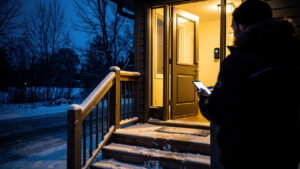
Seniors or people with mobility limits can open the door from a phone or with voice control instead of wrestling with a small metal key in icy weather. Cottage owners can check whether doors are locked after guests leave and lock them from the city if needed.
Faster Locksmith offers residential smart lock installation across Ontario, including Mississauga, Markham, and Whitby. Technicians help match locks to doors, set up user profiles, and confirm that both the app and mechanical backup work smoothly before leaving.
Tip: When setting family PINs, avoid easy patterns like 1234 or birth years. Pick numbers that are easy for you to remember but hard for strangers to guess.
Commercial Businesses and Property Managers

Commercial readers of this Smart Locks: Complete Guide usually focus on staff access, compliance, and cost control. With smart locks, each employee or contractor gets a distinct credential that can be limited by schedule and removed in seconds when ties end. This outperforms traditional master key trees where one lost key can affect many doors.
Property managers overseeing apartments or small office buildings can reset access between tenants remotely. Many systems link with software such as Buildium or AppFolio so codes follow lease dates automatically. Short‑term rental hosts on Airbnb or VRBO rely on rotating guest codes that start at check‑in and stop at checkout.
Examples of helpful features for commercial settings include:
- scheduled access windows for cleaners or maintenance,
- audit logs for insurance or health‑care inspections,
- integration with existing access control panels.
Faster Locksmith helps businesses design smart lock layouts for single storefronts or multi‑location operations. Services include fitting commercial‑grade locks, linking them with access control panels, and training staff on daily use.
Top Smart Lock Brands Worth Considering
Brand choice affects build quality, smart features, and future support. In this Smart Locks: Complete Guide, several names appear often in Canadian homes and offices. Each brand has strengths, so the right pick depends on door type and preferred smart home platform.
- Schlage offers the Encode line, known for strong Grade 1 deadbolts and Wi‑Fi connectivity that does not require a separate bridge. Many models work well with voice assistants.
- Yale brings the Assure series, which uses plug‑in modules for Wi‑Fi, Z‑Wave, Zigbee, or Apple Home support. This makes it easier to switch smart home platforms later without changing the entire lock.
- August focuses on retrofit locks that sit over existing deadbolts. These appeal to renters and condo owners because exterior hardware can stay the same.
- Kwikset adds models with fingerprint readers and its SmartKey mechanical system, which lets owners re‑key backup cylinders without special tools.
- Ultraloq blends fingerprint, keypad, app control, and physical keys in one device, which suits busy households and light commercial doors.
Consumer testing from organizations such as Consumer Reports has found that several Schlage, Yale, and Kwikset smart locks resist forced entry as well as high‑rated mechanical deadbolts. That confirms the importance of strong hardware plus smart features.
When comparing brands, first decide what matters more: physical strength, radio type, or app design. Very few models are perfect at all three.
Quick Brand Comparison
The table below supports brand picking inside this Smart Locks: Complete Guide.
| Brand / Model | Best For | Key Feature | Smart Home Compatibility | Common ANSI Grade |
|---|---|---|---|---|
| Schlage Encode Plus | Homeowners needing Wi‑Fi and Apple support | Built‑in Wi‑Fi and Apple Home Key support | Alexa, Google Home, Apple Home | Grade 1 on many models |
| Yale Assure Lock 2 | Flexible setups and future changes | Swappable radio modules | Alexa, Google Home, Apple Home, Z‑Wave, Zigbee | Often Grade 2, some Grade 1 |
| August Wi‑Fi Smart Lock | Renters and condos | Retrofit design keeps existing exterior hardware | Alexa, Google Home, Apple Home | Depends on existing deadbolt |
| Kwikset Halo Touch | Small offices and busy homes | Fingerprint access plus keypad | Alexa, Google Home | Many Grade 2 |
| Ultraloq U‑Bolt Pro | Tech‑savvy households | Multiple entry types in one unit | Alexa, Google Home, some Z‑Wave models | Residential grades |
Entry‑level brands such as Wyze or iLifeSmart offer budget‑friendly locks that still support apps and keypads. Faster Locksmith teams recommend brands based on door compatibility, security needs, and smart home platforms, rather than pushing one brand for every case.
DIY vs. Professional Smart Lock Installation: What You Need to Know

Smart lock installation can be a weekend project or a job for a locksmith. This Smart Locks: Complete Guide explains how to judge which path fits best. The main questions are how standard the door is and how complex the lock.
Most retrofit deadbolts are designed for simple DIY work using only a screwdriver. The basic steps often look like:
- Remove the old deadbolt and strike plate.
- Fit the new latch into the edge of the door.
- Mount the exterior keypad or trim.
- Mount the interior unit and connect the small cable.
- Insert batteries and run the lock’s setup routine.
For a standard 2‑1/8 inch bore and typical backset, many homeowners can finish in under an hour.
Problems start when the door is older, thicker, warped, or drilled in non‑standard ways. Misaligned doors can strain a motor. Commercial mortise locks and multi‑point locks on high‑security or European‑style doors are more complex. A report cited by Schlage notes that misalignment is a leading cause of early smart lock motor failure, which shows why fit matters.
A basic checklist helps:
- Does the door open and close smoothly without lifting or pushing?
- Is the existing hole circular and close to 2‑1/8 inches in diameter?
- Does the chosen lock list your door thickness and backset as supported?
If the answer is “yes” to all three, DIY may work well. If any doubt exists, or if the lock will guard valuable goods or sensitive records, a professional install is the safer choice.
Field tip from technicians: “If the door sticks now, a smart lock will only make that more obvious.”
When to Call Faster Locksmith
Faster Locksmith steps in when smart lock projects are not simple. Situations that call for help include:
- older Canadian homes with unusual door thickness, warped frames, or oversized holes,
- commercial mortise hardware, fire‑rated doors, and multi‑point systems on high‑value entry doors,
- properties where downtime has a real cost, such as retail shops and clinics.
During a visit, a Faster Locksmith technician:
- checks door and frame condition,
- confirms that the chosen lock fits correctly,
- installs and tests each access method (keypad, app, and key override),
- walks through the app setup so owners feel confident before the visit ends.
Alongside installation, Faster Locksmith offers 24/7 emergency lockout help, rekeying of other locks during upgrades, and free quotes. Mississauga residents receive a 10 percent discount, and service extends across Ontario, including Brampton, Georgina, Oshawa, Whitby, and Halton Hills.
Smart Lock Costs, Maintenance, and Longevity
Cost, upkeep, and lifespan are common questions that this Smart Locks: Complete Guide addresses early. Smart locks cost more than basic deadbolts, but they can save money on rekeying and lockouts over time.
Hardware prices in Canada range widely:
- Entry‑level keypad models often start around 80 to 120 CAD.
- Mid‑range smart locks from brands such as Schlage, Yale, and August with Wi‑Fi or Bluetooth apps usually sit between 150 and 300 CAD.
- Higher‑end biometric or commercial‑grade models can reach 300 to 600 CAD or more per door.
Listings on Home Depot Canada and Best Buy Canada show similar ranges.
Read also Best Budget-Friendly Smart Locks for 2026
Installation and service costs:
- Professional residential installation from a locksmith often adds 50 to 150 CAD per door.
- Commercial installs, especially when tied to access control panels, can climb to 200 to 500 CAD per opening.
- Some platforms charge monthly fees for advanced cloud management, often in the 3 to 10 CAD per month range.
Lifespan depends on both electronics and mechanics. As noted earlier, BHMA Grade 1 locks are tested for at least 250,000 open and close cycles, which can equal many years of daily use. Electronics can last that long as well if firmware stays updated and moisture is kept out.
Hidden costs to remember include:
- periodic battery replacement,
- possible Wi‑Fi bridges or hubs,
- and occasional technician visits if a door shifts or hardware loosens.
Maintenance Checklist and Troubleshooting Quick Reference

Regular care keeps a smart lock reliable and quiet.
- Maintenance routine
- Replace batteries every 6 to 12 months or when low‑battery warnings appear. Many Schlage and Yale support pages state that typical battery life falls in that range for average use.
- Use lithium batteries for harsh Canadian winters.
- Wipe keypads gently with a soft cloth to remove grime.
- Keep the bolt lightly lubricated with dry PTFE or graphite products; avoid greasy sprays that collect dirt.
- Simple troubleshooting steps
- If an app command fails, check Bluetooth or Wi‑Fi first, then battery level.
- If a keypad rejects correct codes, confirm the code has not expired and watch for low‑power signs such as dim lights or slow motor movement.
- Sticking bolts often point to door shift, so check hinge screws and strike plate position before blaming the lock.
- Replacement decisions
Replacement makes sense when:- the companion app is no longer updated,
- the lock does not receive firmware patches,
- or physical damage appears (cracks, corrosion, water intrusion).
Faster Locksmith can compare repair and replacement costs and suggest a path that fits the property and budget.
Frequently Asked Questions
This Frequently Asked Questions section collects short answers to common smart lock concerns raised by Canadian homeowners, business owners, and property managers reading this Smart Locks: Complete Guide. The next section lists specific questions and answers you can skim quickly when deciding what to buy or how to use your lock day to day.
Frequently Asked Questions 2
Question 1: Can a Smart Lock Be Hacked?
Yes, any connected device carries some digital risk, but hacking quality smart locks is rare in real‑world cases. Reputable brands use AES encryption, which NIST still lists as suitable for sensitive data. Real problems usually come from weak Wi‑Fi passwords, skipped firmware updates, or reused app passwords, all of which owners can correct.
To reduce risk:
- keep firmware updated,
- use strong, unique passwords and two‑factor authentication,
- and avoid installing apps from untrusted sources on the phone that controls the lock.
Question 2: Do Smart Locks Work During a Power Outage?
Yes, smart locks keep working in a power outage because they run on internal batteries, not house wiring. The real concern is batteries that are already nearly empty.
Most brands:
- send low‑battery alerts well before failure,
- include an external 9‑volt contact so users can power the keypad briefly and replace batteries,
- and still allow entry with a physical key when electronics have no power.
Remote control over Wi‑Fi will pause if your router or modem loses power, but local keypad and key access continue to work.
Question 3: Can My Landlord Install a Smart Lock on My Rental Unit in Canada?
Yes, landlords in Canada may install smart locks, but tenants must always have easy, reliable access. Using logs to track tenant movements can create privacy issues under provincial rules.
Tenants should:
- review the Residential Tenancies Act for their province,
- ask how codes and logs are managed,
- and, in complex disputes, speak with a legal clinic or tenant support group.
In many cases, clear rules about who can see logs and how often codes are changed keep both sides comfortable.
Question 4: What Happens If I Forget My Smart Lock PIN?
If a PIN is forgotten, the companion app usually lets the owner view or reset codes after signing in. When app access is lost, the physical key override provides entry so a factory reset can clear old codes.
If both the app and key are missing, a locksmith can open the door without damaging the frame. Faster Locksmith handles this kind of call regularly and can then help set up safer backup options.
Question 5: Are Smart Locks Worth It for a Small Business?
Yes, smart locks are usually well worth it for small businesses that see staff changes or have cash and stock on‑site. Digital credentials are easy to cancel when employees leave, and logs show who entered and when.
Benefits small business owners often notice include:
- fewer rekeys after lost keys or staff turnover,
- clearer records for insurance claims or audits,
- and the ability to grant cleaning or maintenance access without handing out permanent keys.
Faster Locksmith designs and installs smart lock setups that fit small business budgets and compliance needs across Ontario.
Locking In the Right Choice: Final Thoughts on Smart Locks
Choosing the right smart lock depends on property type, connection needs, and who needs access. This Smart Locks: Complete Guide has shown how types, features, and installation choices all play a part. When those pieces fit together, smart locks improve everyday convenience and raise real security over older hardware.
Homeowners gain keyless entry and better peace of mind. Businesses and property managers gain fine control over staff and tenant access plus clear audit trails. Costs are higher upfront, but savings on rekeying, lockouts, and lost keys can add up over the years.
If you are ready to move from research to action, a simple plan looks like this:
- List who needs access and when.
- Decide which radio type (Bluetooth, Wi‑Fi, Z‑Wave, Zigbee, or Matter) fits your home or office.
- Pick a Grade 1 or 2 lock from a reputable brand.
- Choose DIY install for standard doors, and call a pro for anything unusual.
Faster Locksmith helps Canadian clients move from reading to safe installation, whether for a single condo door or a multi‑location business. For expert advice, 24/7 emergency help, or a free quote on smart lock upgrades anywhere from Mississauga to Georgina, contacting Faster Locksmith is the next simple step.