Introduction
Most break-ins start at the front door, and many smart door security tips feel confusing. It is hard to know which changes actually make your home or business safer.
With new smart locks, apps, and gadgets, choices can feel endless. Meanwhile, forced entries across Canada still cause real loss, stress, and fear.
This guide explains smart door security in plain language so you know where to start. You will learn how smart locks compare to old keys, which features matter, how to reinforce the door, and when Faster Locksmith can help. Use these steps to build steady, layered protection that fits your property and budget.
Key Takeaways
Before you read the full guide, here are the main points to remember. These smart door security tips focus on both digital safety and strong hardware.
- Quality smart locks rely on strong encryption. That makes digital attacks much harder. You also gain app control and alerts.
- Reinforced doors and frames stop many kicks. Longer screws and solid-core doors add strength. These basics matter as much as high‑tech hardware.
- Smart access habits keep your lock secure. Use separate codes, audits, and firmware updates. Faster Locksmith helps with setup and emergencies.
What Makes Smart Door Security Better Than Traditional Locks?

Smart door security can work better than traditional locks because it mixes strong physical hardware with modern digital controls. It reduces common attack methods while giving you better awareness of what happens at each door.
Instead of only relying on a metal key, smart locks use encrypted signals and user codes to manage entry. According to the FBI, more than half of reported burglaries involve forced entry, often through a door, so strengthening that doorway matters.
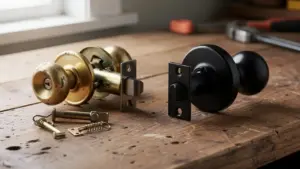
Traditional deadbolts can often be picked, bumped, or drilled with basic tools. Smart locks from brands like Schlage, August, Yale, Kwikset, and Wyze remove the keyhole or hide it behind a shield, which blocks many of those tricks. These locks use 128‑bit AES encryption, the same standard many banks use for online sessions.
You can check your app to see whether a door is locked, who opened it, and at what time. For business owners and property managers, those audit trails help track access across staff, cleaners, and contractors.
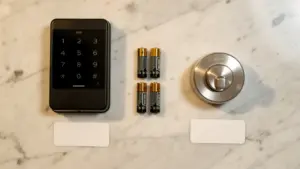
You can also lock or open your door from your phone, receive instant tamper alerts, and, on many models, connect the lock to Amazon Alexa, Google Home, or Apple HomeKit so you can link locks, lights, and cameras in one setup.
To see the difference at a glance, compare traditional deadbolts with smart locks:
| Feature | Traditional Deadbolt | Smart Lock |
|---|---|---|
| Everyday Use | Physical key only | Codes, app, or biometrics for entry |
| Awareness | No record of who entered and when | Access logs, alerts, and status checks from your phone |
The result is convenience plus stronger protection, not just swapping one metal lock for another. You spend less time worrying about lost keys and more time watching real data from your doors. Many Greater Toronto Area clients tell Faster Locksmith that this extra visibility brings real peace of mind.
How to Choose the Right Smart Lock for Your Property
Choosing the right smart lock means matching the device to your door, risk level, and routine. The best choice for a downtown retail store is rarely the same as for a condo.
Look for ANSI or BHMA Grade 1 hardware on exterior doors, especially in busy or higher‑crime areas. Research from the Builders Hardware Manufacturers Association shows Grade 1 locks are tested for heavy impact and high cycle counts, far beyond light‑duty models. Solid construction gives the motor and bolt a strong base during a forced‑entry attempt.
Next, decide how people prefer to open the door. Many Canadian homeowners like keypad codes; others want fingerprint readers, phone apps, or old‑fashioned keys as backup. Choose a lock with at least two entry methods so you still get in if a phone dies or a fingerprint reader stops working.
Pay attention to safety extras such as auto‑lock timers, tamper alarms, and strong battery support. Testing from Consumer Reports shows auto‑lock and clear status indicators cut mistakes like leaving a door open. Choose models that display low‑battery warnings in the app and on the keypad, and keep a physical key in a safe spot.
For commercial properties, smart locks should also support clear user logs, scheduled access, and central management for multiple doors. Integrations with access‑control platforms let you add or remove employees in one dashboard instead of visiting every location. Faster Locksmith often helps Greater Toronto Area businesses compare options from Schlage, Yale, and other brands so each door gets hardware that matches real‑world risk.
What Smart Lock Features Matter Most for Canadian Homes?

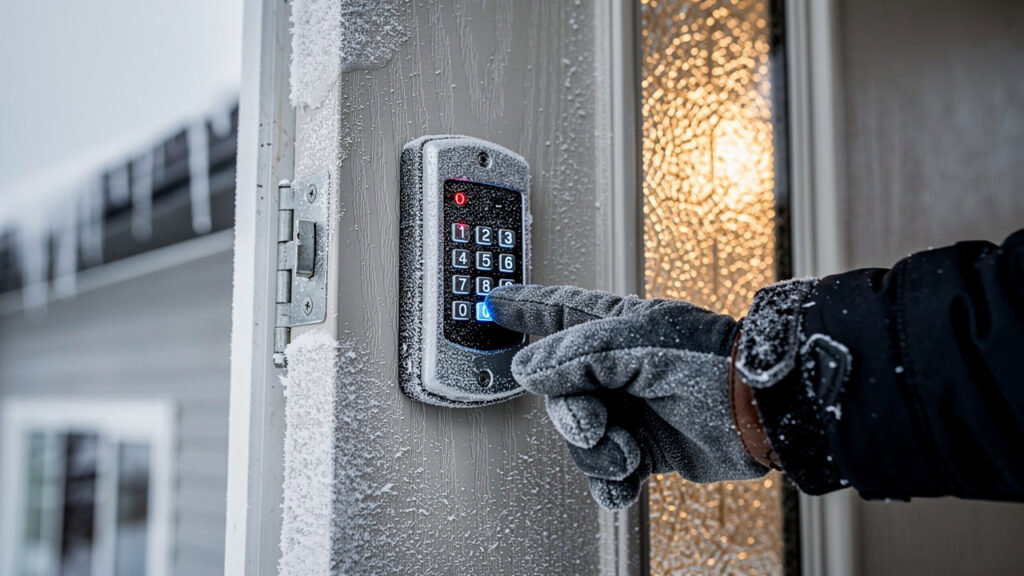
For Canadian homes, smart lock features that handle cold weather and outdoor exposure matter as much as security specs. Choose locks with at least an IP65 weather rating and housings built for snow, ice, and wind‑driven rain. Look for keypads that respond to gloved hands so you are not fighting the lock on minus‑twenty days. Cold weather drains batteries faster, so pick models with efficient motors and clear low‑battery alerts; Battery University notes that low temperatures reduce battery capacity.
Smart Door Security Tips Every Property Owner Should Follow
The most effective smart door security tips focus on how you use the lock every day. Here are practical steps homeowners, business owners, and property managers across the Greater Toronto Area can start using right away.
- Turn on the auto‑lock feature and keep the timer short, around thirty to sixty seconds. That way, a door rarely stays open because someone forgot. If your lock includes a built‑in alarm or connects to an alarm panel, activate those alerts so you notice every tamper attempt.
- Give every person their own access code instead of sharing one master number. Use time‑limited codes for cleaners, contractors, or short‑term guests so access stops when the work or stay ends. The Verizon Data Breach Investigations Report notes that many security incidents start with weak or shared credentials, so quarterly code audits are a simple way to stay ahead. When a code is no longer needed, delete it instead of letting old access linger.
- Protect the app that controls your lock just as carefully as online banking. Turn on two‑factor authentication, use a long password that you do not reuse, and enable automatic firmware updates. According to Norton, reused passwords play a big role in many account breaches, so fresh credentials and updates give your smart lock a strong digital shield.
Why Physical Door Reinforcement Is Just as Critical as Your Smart Lock

Physical reinforcement keeps your smart lock from sitting on a weak, easy‑to‑kick door. Many forced entries break the frame or rip out small screws long before a modern deadbolt fails. So one of the most important smart door security tips is strengthening the structure that holds the lock.
Start with the strike plate, the metal piece on the frame that receives the bolt. Replace small builder‑grade plates and short screws with heavy steel plates secured by three‑inch screws that reach the wall studs. Manufacturers like Door Armor report that this upgrade can raise kick resistance by up to four hundred percent compared with standard hardware.
Next, look at the door slab itself. Hollow‑core doors belong indoors, while exterior doors work better in solid wood, solid‑core fiberglass, or steel. Add security hinges or non‑removable pins on outward‑swinging doors so nobody can pull the door off by removing hinge pins.
Build a wider security layer around the door so intruders hesitate before even touching the lock. Motion‑activated lights, visible cameras, and video doorbells from brands like Ring, Nest, or Arlo send alerts and act as strong deterrents. A study from the University of North Carolina at Charlotte found that many burglars avoid homes with clear security signs, showing how simple visibility can shift their choices.
When Should You Call Faster Locksmith for Smart Door Security?

Some smart‑door projects fit a do‑it‑yourself weekend, but others call for a licensed locksmith who is available day and night. Knowing when to involve Faster Locksmith keeps your property safe and saves time and repeat work. Across Canada, police still record over one hundred thousand break‑and‑enter cases every year, according to Statistics Canada, so expert help matters.
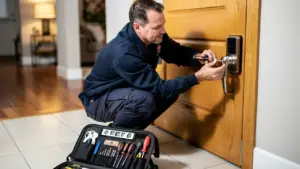
New homebuyers should plan a lock review and upgrade right after closing, before moving furniture inside. Faster Locksmith can rekey or replace every exterior lock, install a smart system, set up user profiles, and walk you through app features in a single visit. You start life in the new place knowing every old key and code no longer works.
Business owners and property managers often need help with commercial‑grade locks, master key systems, and access‑control platforms. Faster Locksmith designs and installs smart locks across offices, storefronts, and warehouses, then programs schedules and role‑based permissions so staff have only the access they need. This pays off when staff change, since you can remove access in software instead of chasing physical keys.
Any time you face a lockout, suspected tampering, or damage after a break‑in, call Faster Locksmith right away. Local technicians across Oshawa, Markham, Mississauga, Whitby, and Georgina aim to arrive in about thirty minutes, offer clear upfront pricing, and back hardware with a five‑year warranty. They also explain maintenance steps such as lubrication, battery care, and firmware updates so the same problem is less likely to return.
Faster Locksmith Tip: Calling a trusted locksmith when something feels wrong is one of the simplest smart door security tips you can follow.
Your Next Step Toward Smarter Door Security

Smart door security works best when strong hardware, smart lock features, and good daily habits support each other. With the right lock, reinforced doors, careful access codes, and regular maintenance, every entry point becomes much harder to abuse.
If you want expert eyes on your doors, Faster Locksmith offers free, no‑obligation quotes and friendly advice across the Greater Toronto Area. Call any time, day or night, to book smart lock upgrades, door reinforcement, or emergency service in Oshawa, Markham, Mississauga, Whitby, or Georgina.
Frequently Asked Questions
These short answers support the smart door security tips in this guide and cover questions Faster Locksmith hears most often.
Question 1: Can Smart Locks Be Hacked?
Yes, but quality models with AES encryption, two‑factor authentication, and firmware updates are difficult to hack.
Question 2: How Often Should I Change My Smart Lock Access Codes?
Change codes whenever your access situation changes and on a simple schedule. Update after staff or tenant changes, a lost phone, or any suspected snooping.
Question 3: Do Smart Locks Work During A Power Outage?
Yes. Battery‑powered smart locks still open with the keypad or key during a power outage, but app features pause.
Question 4: How Long Do Smart Lock Batteries Last In Canadian Winters?
Often around six months; replace batteries early and watch low‑battery alerts during Canadian winters.
Question 5: Is Professional Smart Lock Installation Worth It Versus DIY?
Yes. A licensed locksmith installs the lock correctly, checks door alignment, and tests every feature before leaving.