Introduction
A smart doorbell with local storage records every visitor straight to hardware you own instead of a company cloud server. That means no forced subscriptions, fewer privacy worries, and reliable footage even if your internet cuts out during a winter storm.
Many buyers feel stuck between big brands that push cloud plans and cheaper models that skip important security features. Things get even more confusing once you consider privacy law, data protection, and harsh Canadian winters.
This guide walks through how local storage works, compares leading smart doorbells available in Canada, and highlights the features that matter most. You will also see how professional locksmith support from Faster Locksmith can turn a single camera into a full entry security upgrade. Keep reading to match the right device and setup to your home, rental, or business.
Key Takeaways
A smart doorbell with local storage combines wide video coverage with control over your footage and long‑term costs. These points highlight what you gain when you choose carefully.
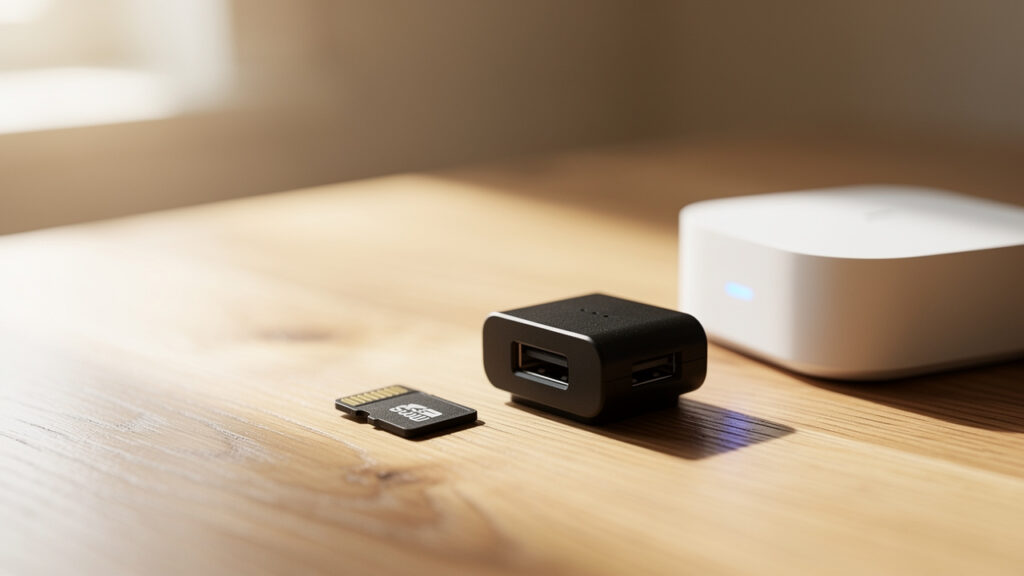
- Keep Footage On-Site: Local storage keeps recordings on a microSD card, hub, or NVR inside your property instead of a remote data center. That removes ongoing cloud fees for basic recording and keeps third parties from holding your door video. It also means your camera keeps saving clips even if your internet service drops.
- Choose Brands That Support Local Recording: Reolink, Eufy, Amcrest, Lorex, and Ubiquiti cover most budgets and security needs in Canada. Some focus on simple plug‑and‑play setups while others pair with professional NVR systems. Picking the right storage style and power format matters more than chasing the biggest marketing claim.
- Plan The Whole Entry, Not Just The Camera: Resolution, AI motion detection, weather rating, and two‑way audio decide how useful your alerts and recordings feel in real life. A local expert such as Faster Locksmith can combine your chosen doorbell with rekeying and smart locks so your video monitoring, keys, and access control all follow one clear security plan.
“A doorbell camera is only as good as the lock beside it. Treat them as one system, not separate gadgets.” — Faster Locksmith
Why Local Storage Is The Smarter Choice For Canadian Homeowners
Local storage for smart doorbells means your video clips live on hardware you own, such as a microSD card, hub, or NVR. For Canadian homeowners this approach cuts subscription costs and keeps sensitive footage in your hands instead of on distant servers.
Cloud plans from brands like Ring and Google Nest usually start at a few dollars per month per device, which adds up quickly. According to Ring, its Protect Basic plan charges a monthly fee for each camera or doorbell, so a multi‑device home can spend hundreds of dollars over a few years. With local recording, that money stays in your pocket after the initial hardware purchase.
Local recording also helps when internet service is unreliable. Reports from the Canadian Internet Registration Authority show that many households experience regular outages each year, especially in rural regions. A doorbell that keeps saving to local media during those dropouts still gives you a record of visitors, deliveries, or suspicious activity.
Privacy law adds another layer. Under PIPEDA and Quebec Law 25, companies that handle personal data must follow strict rules about consent, access, and retention. By choosing a model where footage never leaves your property, you avoid sending everyday images of family, guests, and neighbors to third‑party servers. The Office of the Privacy Commissioner of Canada has repeatedly warned that Canadians feel more worried about data misuse, so local storage lines up well with those concerns.
Top Smart Doorbells With Local Storage In 2026

Top smart doorbells with local storage combine clear video, strong weather resistance, and recording that works without paid cloud plans. The models below are widely available to Canadian buyers and handle snow, rain, and temperature swings better than many budget imports.
Each option here saves footage to a microSD card, dedicated hub, or local NVR, so you keep ownership of your clips. We focus on resolution, power options, AI features, and how hard each one is to set up. According to Statista, smart home adoption in Canada is climbing toward half of households, which makes it important to pick devices that work well together.
Reolink Video Doorbell
The Reolink Video Doorbell is a strong value choice if you want local storage on a modest budget. It records to a microSD card inside the unit (up to 256 GB) and can also feed into a Reolink NVR if you already run their cameras.
Key strengths include:
- 5 MP sensor with a wide 180‑degree view
- Color night vision and clear two‑way audio
- PoE and Wi‑Fi versions that both work without a subscription
That mix suits older homes and new builds alike while keeping your recordings on hardware you own.
Eufy Video Doorbell E340
The Eufy Video Doorbell E340 suits families and frequent online shoppers who worry about porch piracy. Its dual‑camera layout uses one 2K lens for faces and another pointed down toward packages, so you can see both visitors and parcels clearly.
Footage stores on the Eufy HomeBase hub in your home, where you can expand capacity with a USB drive while keeping end‑to‑end encryption. Helpful features include:
- AI‑based facial recognition and person detection
- Custom activity zones to ignore cars, trees, or sidewalks
- Battery and wired versions, with the wired model better suited to long Canadian winters, when batteries drain faster
Amcrest Video Doorbell (AD410 Or AD490)
The Amcrest AD410 and AD490 work well for tech‑savvy homeowners and property managers who already run local NVRs or NAS systems. These doorbells include a microSD slot for up to 256 GB of recording plus ONVIF and RTSP support for use with software like Blue Iris or platforms such as Synology and QNAP.
Highlights:
- 2K or 4K resolution options
- Motion zones and AI‑style detection to limit useless notifications
- IP65 weather resistance and the option to use cloud backup, while still running entirely on local storage if you prefer
Lorex Wired Video Doorbell
The Lorex Wired Video Doorbell is a natural match for Canadians who already use Lorex kits from retailers like Costco or Best Buy. Instead of tiny cards in each device, the doorbell sends video directly to a Lorex NVR or DVR where a large hard drive handles storage.
You get:
- 2K resolution with a 180‑degree field of view
- Color night vision, person detection, and clear two‑way audio
- Full wiring, so there are no batteries to manage in freezing temperatures
That design works well for long‑term use on detached homes and multi‑unit buildings.
Ubiquiti UniFi Protect G4 Doorbell
The Ubiquiti UniFi Protect G4 Doorbell targets advanced users, commercial sites, and property managers who want enterprise‑style control with no cloud tie‑in. It works with UniFi Protect running on a UniFi NVR or Dream Machine, where all footage stays on local hard drives. The 5 MP sensor, infrared night vision, and person detection feed into a polished interface that can manage dozens of cameras across several entrances.
If you already use UniFi access points and switches, the G4 fits neatly into that same network and is a strong pick when you need local storage at more complex sites.
Key Features To Evaluate Before You Buy

Key features to evaluate before you buy a smart doorbell with local storage include resolution, storage type, power source, weather rating, and AI tools. Looking at these first keeps you from picking a model that looks sleek but fails at basic security.
Resolution matters because it decides whether you can recognize faces or license plates on replay. For most Canadian homes, 2K is a comfortable target that balances detail with storage needs, while large properties or business entrances may prefer 4K. Field of view counts as well, since a narrow lens can miss people standing close to the frame or packages on the ground.
Storage format shapes privacy and convenience. MicroSD cards are simple and affordable, but you should replace them every year or two as they wear out. Hubs such as Eufy HomeBase or NVRs from Reolink, Lorex, or Ubiquiti allow bigger drives and central control, which suits larger homes, rentals, or small businesses. Research from Western Digital notes that endurance‑rated cards last longer in video devices than general‑purpose cards, so spending a bit more here can prevent random failures.
Cold weather pushes many Canadians toward wired or PoE power instead of battery‑only units. An IP65 or higher rating helps the camera survive snow, ice, and road salt, especially near busy streets. AI features like person and package detection matter in cities and condos where constant motion can overwhelm basic motion sensors.
“If a doorbell camera fails on the coldest night of the year, that’s the night you’ll wish you had hard‑wired power.” — Faster Locksmith
| Feature | What To Look For | Why It Matters |
|---|---|---|
| Resolution | 2K or higher for most homes | Sharper details for faces and vehicles |
| Storage Type | MicroSD, hub, or NVR you control | Sets privacy level and long‑term costs |
| Power Source | Wired or PoE in cold regions | Avoids winter battery problems |
| Weatherproofing | IP65 rating or better | Handles snow, rain, and dust |
| AI Detection | Person, package, and vehicle modes | Cuts down annoying false alerts |
How Faster Locksmith Helps You Integrate A Smart Doorbell Into Your Security System

Faster Locksmith helps you move from a single smart doorbell to a complete entry security setup that actually works every day. The team focuses on locks and doors first, then shows how a doorbell with local storage fits alongside smart locks, access control, and rekeying.
According to Statistics Canada, police services across the country record many thousands of break and enter incidents each year, which keeps front door security a serious priority. Faster Locksmith responds with an integrated approach that treats your camera as one part of a wider plan. Their technicians are familiar with smart lock brands such as August, Yale, Schlage, Kwikset, and Wyze, along with platforms like Amazon Alexa, Google Assistant, and Apple HomeKit.
- Site Assessment: Faster Locksmith can review your doors, frames, and existing wiring during a security visit. That check identifies which smart doorbells will fit, which power options are realistic, and how to route cables cleanly so you avoid guesswork and reduce the risk of damage to trim, siding, or interior drywall.
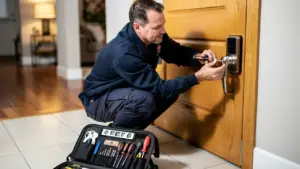
- Installation And Setup: During installation, Faster Locksmith can combine smart deadbolt upgrades or rekeying with mounting your chosen doorbell and configuring the app. This saves extra appointments and helps every entry point share the same security standard. It also keeps your keys, codes, and notifications aligned with your daily routine instead of fighting it.
- Support For Businesses And Rentals: For commercial properties and multi‑unit buildings, Faster Locksmith can coordinate smart doorbells with access control panels, master key systems, and high‑security locks. Property managers get clearer records of who approached each entrance while keeping physical keys under tight control. Regular maintenance visits can include checks on firmware, storage health, and battery status where needed.
With 24/7 emergency service across the Greater Toronto Area and transparent pricing, Faster Locksmith can serve as a long‑term partner rather than a one‑time installer. When technology changes, you already have a team that understands both your hardware and your security goals.
Locking In Your Home Security: The Final Word On Local Storage Doorbells

Choosing the best smart doorbell with local storage means balancing video quality, storage style, weather resistance, and how comfortable you feel with tech. Reolink and Lorex fit homeowners who like simple NVR‑style setups, while Eufy and Amcrest suit families and tinkerers who want smart AI features or NAS links. Ubiquiti UniFi Protect works well for complex homes, rentals, and business sites that need central control.
Local storage keeps your data close, avoids rising subscription fees, and keeps recording during internet problems. To tie that camera into stronger locks, rekeying, and access control, booking a visit with Faster Locksmith gives you expert help from specialists who work with doors and smart entry systems every day.
Frequently Asked Questions
Question: Do smart doorbells with local storage work without Wi‑Fi?
Most smart doorbells with local storage keep recording to a card, hub, or NVR even when Wi‑Fi goes down. You usually need Wi‑Fi only for live view, notifications, and remote access through the mobile app.
Question: How long does a 256 GB microSD card last in a smart doorbell?
A 256 GB microSD card can hold several weeks of clips when a doorbell records in 2K using motion‑only mode. Continuous recording or 4K resolution fills the card faster, but most systems use loop recording so the oldest footage is overwritten automatically.
Question: Are local storage doorbells legal in Canada?
Local storage doorbells are generally legal when used on your own property. You should aim the camera away from neighbors’ windows, follow guidance from PIPEDA and any condo rules, and post notices in shared entrances so visitors know recording may occur.
Question: Can a locksmith install a smart doorbell?
Yes, locksmiths such as Faster Locksmith can install and integrate smart doorbells. They check wiring and transformer compatibility, find the best mounting height, and tie the doorbell into smart locks and access control so the whole entry works as one system.